Last reviewed: June 19, 2026
The WordPress AI Assistant is no longer just a writing helper. In 2026, WordPress.com is pushing AI deeper into the editing experience: content changes, layout suggestions, style adjustments, and image creation can now happen closer to the place where site owners already work. That is useful, but it also raises a serious question: how do you use AI inside WordPress without publishing thin, generic content that search engines and readers ignore?
This guide explains what the WordPress AI Assistant means for site owners in 2026, where it helps, where it can hurt, and how to use it in a way that still meets modern search standards for helpful, original, people-first content.
Table of Contents
What Is the WordPress AI Assistant?
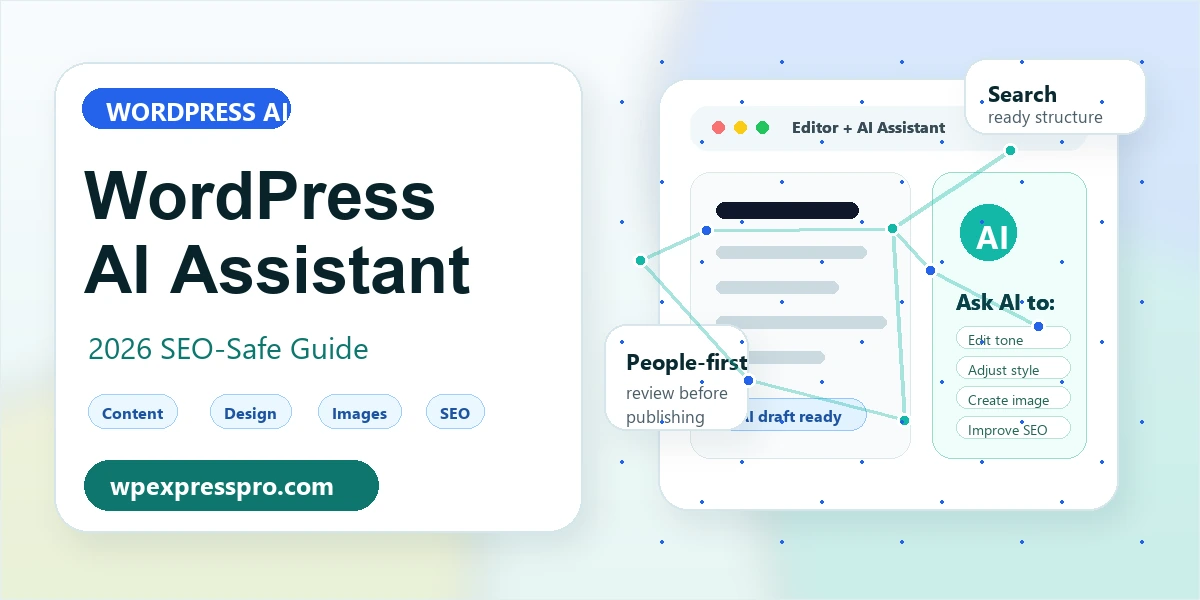
The WordPress AI Assistant is an AI-powered editing helper built into the WordPress.com publishing workflow. According to the official WordPress.com announcement, it is designed to help users work with content, design, media, and site editing tasks without leaving the editor.
TechCrunch also covered the release, noting that the assistant can respond to natural-language requests for editing, styling, and image-related tasks. In simple terms, a site owner can ask for help in plain language instead of clicking through several different editor panels.
For WordPress users, the bigger story is not just that AI can write a paragraph. The bigger story is that AI is becoming part of the content management layer: drafting, editing, visual creation, layout changes, and search preparation are starting to live in the same workflow.
Key Features WordPress Users Should Know
The exact feature set can depend on your WordPress.com plan, theme, and editor setup, but the 2026 launch points toward several practical uses.
- Content editing: rewrite, shorten, expand, simplify, or adjust the tone of existing copy.
- Design help: request layout or style changes using plain language.
- Image creation: generate images for pages, posts, and media workflows.
- Block editing support: work more naturally inside modern block-based WordPress sites.
- Publishing speed: reduce the time between an idea, a draft, and a polished post.
That sounds powerful, and it is. But it also means the quality control step becomes more important, not less important. AI can help you move faster, but it should not become the final editor, fact-checker, strategist, and publisher all at once.
WordPress.com vs Self-Hosted WordPress.org
One common confusion is whether this AI Assistant is available to every WordPress website. WordPress.com and self-hosted WordPress.org are not the same environment.
| Area | WordPress.com AI Assistant | Self-hosted WordPress.org |
|---|---|---|
| Where it runs | Inside supported WordPress.com plans and editor workflows | Depends on plugins, external AI tools, custom integrations, or MCP-style workflows |
| Best fit | Site owners who want built-in AI assistance without technical setup | Site owners who want control over plugins, hosting, APIs, data, and automation |
| Theme support | Works best with modern block-based editing | Depends on the theme, page builder, and plugin stack |
| SEO control | Uses the WordPress.com ecosystem and available tools | Can use Rank Math, AIOSEO, custom schema, analytics, and deeper technical controls |
If you run a self-hosted site, this launch still matters. It shows where WordPress editing is heading: AI inside the workflow, not just AI in a separate writing app. For self-hosted sites, similar functionality can come from AI writing plugins, SEO plugins, chatbot tools, automation systems, or agent-based workflows like the ones discussed in our WordPress AI Agents and MCP guide.
How an AI Assistant Can Help With SEO in 2026
In 2026, SEO is not about asking AI to add more keywords. Modern search is more demanding than that. Google Search, AI Overviews, and other answer engines look for pages that are crawlable, understandable, useful, and credible. An AI assistant can support that work when it is used carefully.
1. Better First Drafts
An AI assistant can turn rough notes into a clean structure. That is useful when you already know the topic but need help shaping the introduction, headings, or examples. The best workflow is to give the assistant your real experience, customer questions, product details, and editorial direction. Do not ask it to invent expertise.
2. Cleaner Headings and On-Page Structure
AI can help organize a post with one clear H1, logical H2 sections, short paragraphs, useful tables, and FAQ sections. This helps readers scan the page and helps search systems understand the subject. For WordPress, this also means using native blocks correctly instead of pasting messy formatting from external tools.
3. Smarter Meta Titles and Descriptions
AI can suggest SEO titles and meta descriptions, but a human should still choose the final version. The best titles are specific, accurate, and aligned with the page. The best descriptions explain why the page is useful without sounding like a generic sales pitch.
4. Internal Linking Ideas
A good assistant can recommend internal links to older posts, category pages, and pillar pages. This matters for a growing site because search engines need to discover relationships between your pages. For example, this article naturally connects to our guides on using AI in WordPress without hurting SEO, GEO for WordPress, and AI inside the WordPress editor.
What Google’s 2026 Search Guidance Means for AI Content
The important SEO point is this: AI content is not automatically good or bad. What matters is whether the final page is helpful, reliable, and created for people. Google’s guidance on helpful content emphasizes originality, usefulness, trust, and whether readers leave feeling satisfied.
Google’s guidance for AI features and your website also makes a practical point for site owners: standard SEO fundamentals still matter. Your content should be accessible, crawlable, indexable, and eligible for previews through normal search controls. There is no magic AI-only tag that replaces useful content and sound technical SEO.
That means an AI assistant should be used as a production helper, not as a shortcut around expertise. If your post has no original examples, no clear answer, no useful comparison, and no human review, it may look complete but still perform poorly.
Best Practices for Using the WordPress AI Assistant Safely
Here is a practical workflow for using AI inside WordPress without weakening your search quality.
- Start with the search intent. Decide what the reader needs before asking AI to draft anything.
- Add human inputs first. Give the assistant notes, examples, screenshots, product details, or your own experience.
- Use AI for structure. Let it organize headings, tables, summaries, and checklists.
- Fact-check every claim. Verify dates, plan availability, plugin features, prices, and technical instructions.
- Improve the page manually. Add original examples, screenshots, opinions, use cases, and internal links.
- Check SEO basics. Review title, meta description, URL slug, headings, image alt text, and schema.
- Publish only when it feels useful. If the article reads like every other AI-generated post, it needs more human editing.
Where AI Assistants Can Hurt SEO
The main risk is scale without judgment. AI makes it easy to publish more, but publishing more average pages rarely creates authority. It can create index bloat, duplicate angles, weak category pages, and articles that overlap with each other.
Watch for these warning signs:
- Several posts target almost the same keyword with no unique purpose.
- The article gives broad advice but no examples, screenshots, or specific recommendations.
- The title promises a guide, but the content is mostly definitions.
- The page repeats what the sources already say without adding your own analysis.
- AI-generated images look generic or are reused across multiple posts.
- The FAQ section answers questions nobody would realistically ask.
If you use an AI assistant, build an editorial system around it. The assistant can speed up production. Your process protects quality.
Recommended 2026 Workflow for WordPress Sites
For a self-hosted WordPress site, a strong AI-assisted publishing workflow can look like this:
- Research: identify the search intent, competing pages, and reader questions.
- Outline: ask AI for structure, but remove sections that do not help the reader.
- Draft: write with AI support, using your own examples and source notes.
- Edit: improve clarity, remove filler, and check facts.
- SEO: use Rank Math or another SEO plugin for title, description, schema, and internal links.
- Media: create a unique featured image, compress it, and add descriptive alt text.
- Review: check mobile readability, heading structure, page speed, and duplicate topics.
- Update: revisit AI-related posts often because features and search guidance change quickly.
Should You Use the WordPress AI Assistant?
Yes, if you treat it as an assistant. It can save time, improve drafts, suggest better structure, and help non-technical users move faster inside WordPress. It is especially useful for editing existing pages, refining tone, brainstorming images, and turning messy notes into readable content.
No, if your plan is to publish large volumes of unreviewed AI content. Search quality in 2026 is moving toward usefulness, trust, and clear value. AI can help you meet that standard, but it can also make it easier to miss it.
Final Thoughts
The WordPress AI Assistant is a sign of where website management is heading. AI will become less of a separate tool and more of a normal layer inside the editor, media library, design workflow, and SEO process.
For site owners, the opportunity is real: faster publishing, better editing, cleaner layouts, and more accessible content workflows. The responsibility is real too. In 2026, the winning WordPress sites will not be the ones that use AI the most. They will be the ones that use AI to publish genuinely useful content with better structure, stronger examples, and careful human review.
Sources
- WordPress.com: Introducing the WordPress AI Assistant
- TechCrunch: WordPress.com adds an AI assistant
- Google Search Central: AI features and your website
- Google Search Central: Creating helpful, reliable, people-first content
What is the WordPress AI Assistant?
The WordPress AI Assistant is an AI-powered helper for WordPress.com editing workflows. It can support content editing, design changes, image creation, and other publishing tasks inside supported WordPress environments.
Can an AI assistant improve WordPress SEO?
Yes, it can help with outlines, headings, summaries, meta descriptions, internal linking ideas, and editing. It should still be reviewed by a human because SEO success depends on usefulness, accuracy, originality, and technical quality.
Does Google penalize AI-generated WordPress content?
Google focuses on the quality and usefulness of the final content, not only how it was produced. AI-assisted content should be accurate, original, helpful, and created for people rather than published only to manipulate rankings.
Can self-hosted WordPress sites use an AI assistant?
Self-hosted WordPress sites can use AI through plugins, SEO tools, chatbots, external AI apps, APIs, or automation workflows. The built-in WordPress.com AI Assistant is tied to WordPress.com availability and supported plans.