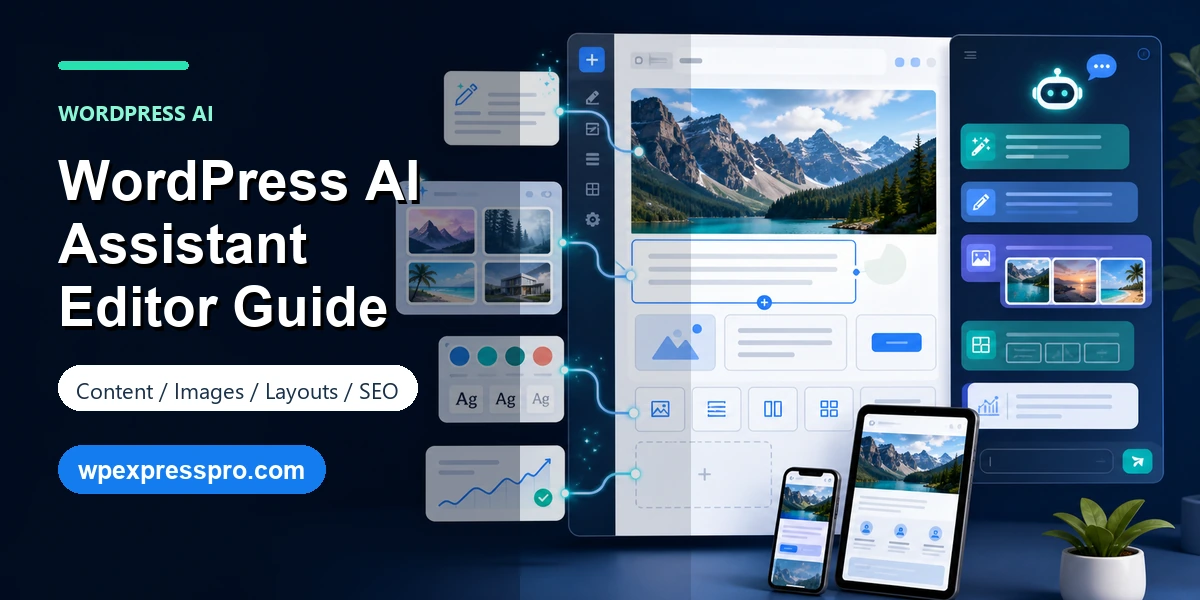
The WordPress AI Assistant brings AI into the place where WordPress work actually happens: the editor. Instead of writing in a separate chatbot, copying text into WordPress, fixing formatting and then checking the page again, site owners can use AI closer to the blocks, images, layouts and notes they are already managing.
This is a natural next step after AI website builders. A builder helps create the first version of a site from a prompt. An assistant helps with the ongoing work after the site exists: rewriting page sections, improving structure, generating images, adjusting layout ideas, leaving block-level notes and preparing content for publishing.
In this guide, we will look at what WordPress AI Assistant does, how it differs from the WordPress AI Website Builder, what paid access usually means, and how to use AI-assisted editing without weakening SEO quality.
Table of Contents
What Is WordPress AI Assistant?
WordPress AI Assistant is an AI-powered helper inside the WordPress.com editing experience. The official WordPress.com announcement describes it as a way to work with content, images, layouts, styles and notes directly inside WordPress. The goal is not just to generate text. The bigger idea is to make AI part of the complete editing workflow.
That can help bloggers, small business owners, creators and agencies move faster. A blogger might use it to improve a rough introduction. A service business might ask for clearer copy around pricing or benefits. A designer might use it to explore a better section order. A team might use block notes to manage feedback without losing context.
The key is to treat it as an assistant, not a final authority. AI can suggest, summarize and reshape. Your brand, expertise, proof, offers, facts and publishing judgment still need a human owner.
WordPress AI Assistant vs AI Website Builder
The WordPress AI Website Builder and WordPress AI Assistant solve different problems. The AI Website Builder is for the starting point. You describe the website you want, and WordPress.com creates a first draft with design, structure and content.
WordPress AI Assistant is for the next stage. Once you have a page, post or site structure, it helps refine what is already there. It can support content edits, image ideas, layout improvements, style changes and publishing preparation.
| Tool | Main purpose | Best use case |
|---|---|---|
| AI Website Builder | Create a new site from a prompt. | Launching the first version of a blog, portfolio or service website. |
| AI Assistant | Improve pages and posts inside the editor. | Editing copy, images, layouts, styles, notes and SEO preparation. |
What You Can Do Inside the Editor
The most useful part of WordPress AI Assistant is that it works near the content. That makes it practical for real publishing tasks rather than only one-off content generation.
- Rewrite copy: improve tone, clarity, length and structure.
- Generate ideas: create section suggestions, page outlines and call-to-action options.
- Support images: generate or edit visuals where WordPress.com AI tools are available.
- Adjust layouts: explore better section order, block presentation and page flow.
- Use block notes: keep feedback tied to the part of the page it belongs to.
- Prepare pages: identify missing proof, weak calls to action or unclear sections before publishing.
Free and Paid Details
WordPress.com currently connects AI Assistant access to supported paid plans, especially Business and Commerce. The exact details can change, so it is smart to check the current WordPress.com AI support page before promising the feature for a client site.
Free WordPress.com users may see AI through trial or builder experiences, but full assistant-style editing is typically a paid-plan consideration. Self-hosted WordPress.org users should also understand that this WordPress.com assistant is not the same thing as installing an AI plugin on any server. For self-hosted sites, compare plugin-based AI tools, privacy needs, editorial control and SEO workflow before choosing.
Content, Image and Layout Workflows
For content editing, give the assistant a specific job. “Make this better” usually produces generic copy. A better instruction is: “Rewrite this service section for small business owners who need monthly WordPress maintenance, keep it under 120 words and make the call to action clearer.” Specific prompts produce more useful edits.
For images, use AI as a starting point and review the result carefully. Generated images should match the brand, avoid misleading details and include useful alt text. For a real business, original product photos, team photos or client work may still build more trust than a polished AI graphic.
For layouts, ask for structure rather than decoration. The assistant can help you move proof higher, simplify a landing page, add a comparison table, clarify the contact path or make a page easier to scan. Always review the result on mobile before publishing.
SEO Checklist Before Publishing
AI can make editing faster, but it does not automatically make a page SEO-ready. Before publishing an AI-edited page, check the fundamentals.
- Confirm the page matches real search intent.
- Use one clear page title and avoid multiple H1 tags inside content.
- Rewrite vague AI headings into useful H2 and H3 sections.
- Add real examples, proof, screenshots, product details or experience.
- Write a unique SEO title and meta description.
- Add internal links to related posts, services and conversion pages.
- Review image alt text for accuracy.
- Fact-check dates, pricing, feature claims and technical steps.
- Preview the page on mobile before publishing.
If Rank Math is installed, use it as the publishing checklist around AI-assisted content. AI can create options quickly, while Rank Math helps you check metadata, schema, internal links and page structure.
Limitations and Best Practices
The biggest limitation is context. AI may not know your actual offer, pricing, customer objections, policies, compliance needs or competitive advantage. It can infer from a prompt, but it cannot replace business knowledge.
Privacy also matters. Avoid pasting sensitive client data, unpublished business information or private customer details into AI prompts unless you understand the tool’s data handling. For agency work, set clear rules about what can and cannot be shared with AI.
The best workflow is simple: use AI to create options, then use human judgment to choose, edit, fact-check and optimize. That keeps the speed benefit without giving away quality control.
FAQ: WordPress AI Assistant
Is WordPress AI Assistant free?
WordPress.com positions AI Assistant for supported paid plans such as Business and Commerce. Check the current WordPress.com AI support and pricing pages before assuming access on a specific site.
Is WordPress AI Assistant the same as the AI Website Builder?
No. The AI Website Builder creates a first website draft from a prompt. WordPress AI Assistant helps edit and improve content, images, layouts, styles and notes inside an existing WordPress workflow.
Can it generate and edit images?
WordPress.com describes image generation and editing as part of its AI tools, including editor and Media Library workflows. Review image quality, brand fit and alt text before publishing.
Will AI-edited WordPress content hurt SEO?
AI editing does not automatically hurt SEO, but generic or inaccurate content can. Human review, search intent, factual accuracy, internal links and useful examples still matter.
Final Takeaway
WordPress AI Assistant is useful because it brings AI into the normal WordPress editing process. It can help with copy, images, layouts, styles and feedback without forcing site owners to jump between separate tools.
Use it as an editor-side accelerator. Let AI create options, simplify rough sections and suggest improvements, but keep humans responsible for accuracy, brand voice, SEO intent and final publishing quality.
Sources checked: WordPress.com AI Assistant announcement, WordPress.com AI tools support documentation, WordPress.com AI Website Builder and WordPress.com AI agent content management update.