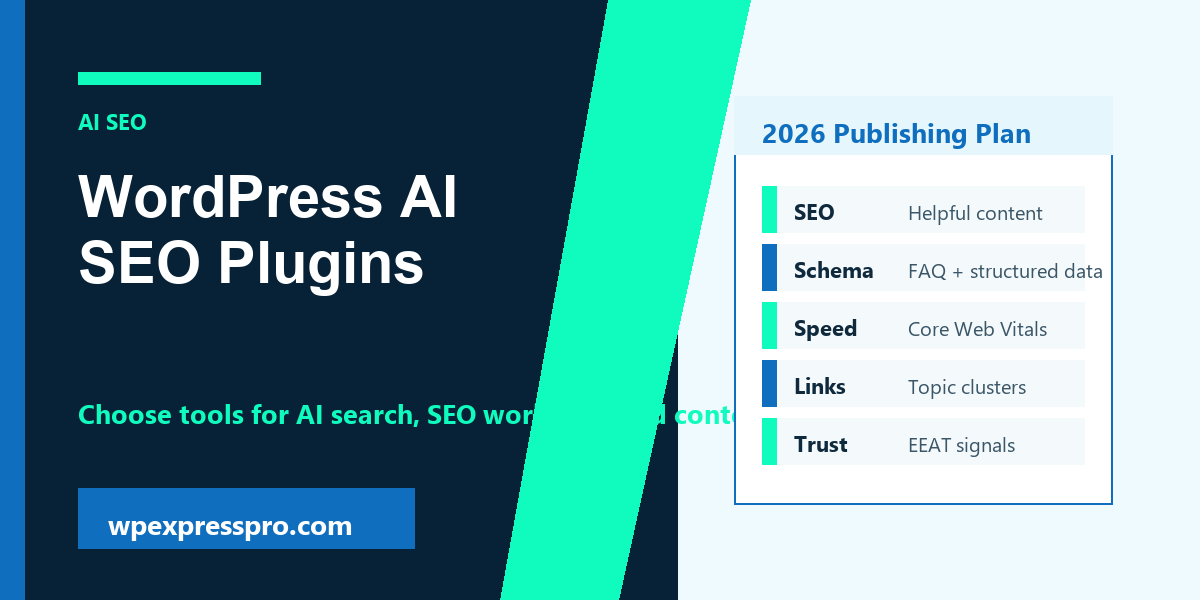
WordPress AI SEO plugins can speed up research, content planning, title ideas, schema checks, internal linking, and optimization workflows. They are helpful assistants, but they are not a replacement for original experience, expert editing, or a fast and trustworthy WordPress website.
In 2026, site owners are optimizing for both traditional Google results and AI-powered discovery. Google AI Overviews, ChatGPT Search, Perplexity, Gemini, Claude, and other answer platforms reward content that is clear, structured, trustworthy, and easy to understand.
This guide supports the WPExpressPro articles on LLM optimization for WordPress and GEO for WordPress. Use it to choose a plugin stack that improves workflow without creating thin AI-generated content.
What Makes an AI SEO Plugin Useful?
A useful AI SEO plugin should make good SEO work easier, not encourage low-quality publishing at scale. The best tools help you write better titles, identify missing sections, improve readability, suggest schema, find internal link opportunities, and keep pages aligned with search intent.
The plugin should also fit your current workflow. A blogger may value content briefs and title suggestions. A WooCommerce store may need product schema, category optimization, and internal links. An agency may need reporting, role controls, and repeatable review steps.
- Clear title and meta description suggestions.
- Readable content analysis that does not push keyword stuffing.
- Schema support for articles, products, FAQs, breadcrumbs, and local pages.
- Internal linking suggestions that can be reviewed by a human.
- Compatibility with your theme, page builder, and caching setup.
Quick Comparison of AI SEO Plugin Options
There is no single best plugin for every WordPress site. Choose based on the job you need done and how much editorial control you want to keep. The table below is a practical way to compare options without chasing hype.
| Plugin type | Best use | What to check before using |
|---|---|---|
| Full SEO suite with AI features | Titles, meta, schema, content analysis, sitemaps. | Make sure it does not conflict with another SEO plugin. |
| AI writing assistant | Draft outlines, summaries, FAQs, and content refresh notes. | Verify facts and rewrite generic sections manually. |
| Internal linking tool | Find related posts and improve topic clusters. | Review every link for relevance and anchor text quality. |
| Schema-focused plugin | Add structured data to articles, local pages, products, and FAQs. | Avoid duplicate schema with your SEO plugin. |
Rank Math SEO and Content AI
Rank Math is a strong option when you want SEO settings, schema, sitemaps, redirects, content analysis, and AI-assisted optimization in one workflow. WPExpressPro.com already uses Rank Math Pro, so it is sensible to keep content analysis, FAQ blocks, and schema decisions inside the same SEO system.
The Rank Math content analysis guide is useful, but it should be treated as a checklist rather than a guarantee. A 100 score can still be weak if the article is generic, inaccurate, or written only to satisfy tests. Helpful content comes first; the score is a final polish step.
- Use it for title, description, schema, TOC, FAQ, and content checks.
- Keep one focus keyword per main page topic.
- Use FAQ blocks only for questions that readers genuinely ask.
- Review AI suggestions manually before publishing.
Yoast SEO, AIOSEO, SEOPress, and Other Suites
Popular SEO suites such as Yoast SEO on WordPress.org, All in One SEO on WordPress.org, and SEOPress on WordPress.org can also support SEO workflows depending on the site. Some features may be free, paid, or tied to specific plans, so always check the current official plugin page before making a client recommendation.
The important rule is not to install several full SEO plugins at once. Running multiple SEO suites can create duplicate meta tags, conflicting schema, sitemap confusion, and unnecessary admin complexity. Pick one primary SEO plugin and build a repeatable editorial process around it.
- Check current AI features and pricing directly from the vendor.
- Confirm compatibility with WooCommerce if you run a store.
- Review schema output before enabling extra schema add-ons.
- Avoid switching SEO plugins without a migration plan.
How to Use AI SEO Without Hurting Quality
AI can make content faster to plan, but low-effort AI output is easy to recognize. If every post has the same rhythm, vague advice, and no original examples, it will not build trust with readers or search systems.
Use AI to assist with outlines, missing question ideas, summary sections, and editing. Add your own examples, screenshots, service experience, product knowledge, and practical warnings. The final article should sound like a helpful expert, not a template.
- Start with search intent and audience needs.
- Create a human outline before generating long text.
- Verify plugin features, pricing, and official documentation.
- Add original examples, screenshots, or decision tables.
- Run Rank Math checks after the content is useful.
AI Search Optimization Features to Look For
AI search systems need clear structure. A plugin can help by creating clean headings, schema, FAQs, internal links, and summaries. It cannot create authority on its own. Authority comes from accurate content, consistent topical coverage, brand trust, author credibility, and a technically healthy site.
For WordPress AI SEO in 2026, favor tools that support structured content and editorial review. The goal is to make each page easier for users, Google, and AI answer engines to interpret.
- FAQ and HowTo blocks where appropriate.
- Article, Organization, Breadcrumb, Product, and LocalBusiness schema.
- Internal link suggestions for topic clusters.
- Content freshness reminders.
- Readability and snippet previews.
- Integration with analytics or Search Console data where available.
Free vs Paid AI SEO Plugins
Free SEO plugins are often enough for basic titles, meta descriptions, sitemaps, and simple schema. Paid versions usually become useful when you need advanced schema, WooCommerce SEO, redirects, AI credits, local SEO, content analysis at scale, or client workflow features.
Do not upgrade only because a plugin has AI in the feature list. Upgrade when the paid feature saves time, improves quality, or reduces the risk of mistakes across important pages.
| Need | Free may be enough | Paid may help |
|---|---|---|
| Small blog | Titles, meta, sitemap, basic schema. | Content AI, redirects, advanced schema. |
| WooCommerce store | Basic product SEO and sitemap. | Product schema, local SEO, advanced content checks. |
| Agency workflow | Single-site optimization. | Client reports, role controls, bulk tools, AI credits. |
AI SEO Plugin Checklist
Before choosing or changing your SEO plugin, run this checklist. It will prevent most plugin-stack problems and keep the focus on results rather than features.
- Choose one primary SEO plugin.
- Check whether AI features are included or require credits.
- Review schema output after enabling new modules.
- Confirm WooCommerce support if you run a store.
- Avoid duplicate TOC, FAQ, and schema plugins unless necessary.
- Use AI for drafts and improvements, not final truth.
- Keep a human editorial review before scheduling content.
- Measure impressions, clicks, conversions, and rankings after changes.
How to Measure Results After Publishing
After publishing a page about wordpress ai seo plugins, measure whether it is helping users and search engines. Do not judge the work only by a plugin score on the day of publishing. A good page should earn impressions, support internal journeys, attract relevant clicks, and help visitors take the next useful step.
Use a simple review rhythm. Check that the page is indexed, confirm the canonical URL is correct, watch Search Console queries, review engagement in analytics, and update the article when examples, screenshots, plugin details, or platform rules change. SEO work becomes stronger when it is maintained.
- Check indexing and canonical status after publishing.
- Review Search Console impressions and queries after enough data is available.
- Watch for broken internal or outbound links.
- Update the content when tools, pricing, screenshots, or best practices change.
- Compare the page against user intent, not only against an SEO score.
Simple Implementation Plan
If this topic feels large, do not try to fix everything in one sitting. Start with the pages or settings that have the highest business value, document what changed, and verify the result before moving to the next task.
- Choose one priority page, category, or workflow.
- Fix the page title, headings, structure, and internal links first.
- Add or review schema only when the visible content supports it.
- Improve performance, mobile layout, and image quality.
- Publish or schedule the update, then monitor results before scaling the same process.
Quarterly Review Routine
A quarterly review keeps the article aligned with current search expectations and real website behavior. Review the page after major WordPress, WooCommerce, Google Search, or plugin changes. You do not need to rewrite everything every quarter, but you should confirm that the advice is still accurate and the page still answers the search intent better than a thin summary.
This is especially important for topics connected to AI search, ecommerce, security, hosting, and technical SEO. Tools change, interfaces move, and recommendations can become outdated. Freshness should come from meaningful updates: clearer examples, better internal links, corrected terminology, current screenshots, stronger FAQs, and removed outdated claims.
- Check whether the title and meta description still match the real search intent.
- Refresh examples, screenshots, plugin names, and official links when needed.
- Add internal links to new related WPExpressPro guides.
- Remove outdated advice instead of adding more text on top of it.
- Confirm the page still loads quickly and works well on mobile.
How to Prioritize the Work
When time is limited, prioritize work that affects revenue, trust, and discoverability first. A small improvement on an important page is often more valuable than a perfect checklist on a page no one visits. Start with pages that already receive impressions, pages linked from your navigation, service pages, top WooCommerce categories, and articles that support your strongest commercial topics.
After that, move to supporting content and older posts. This creates a cleaner site architecture over time and helps every new post support the rest of the website instead of standing alone.
Common Mistakes to Avoid
The most common mistake is treating optimization as a one-time checklist instead of an ongoing quality process. WordPress plugins, Google documentation, AI search behavior, WooCommerce features, and user expectations can all shift. A page that was helpful last year may need clearer examples, fresher links, or cleaner structure today.
Also avoid chasing tool scores at the expense of usefulness. A technically perfect page can still fail if it does not answer the reader’s real question. Keep the writing specific, verify important claims with official sources, and remove anything that sounds impressive but does not help the visitor act.
- Do not stuff the focus keyword into every heading.
- Do not publish generic AI text without expert editing.
- Do not add schema that does not match visible page content.
- Do not ignore mobile layout, page speed, or broken links.
- Do not let outdated plugin details stay live for months.
Official Resources
Use these official resources when you want to confirm current platform rules, plugin details, or search documentation before making site-wide changes.
- Google Search guidance on creating helpful content
- Google Search documentation for AI features
- Rank Math content analysis guide
- Rank Math SEO on WordPress.org
- Yoast SEO on WordPress.org
- All in One SEO on WordPress.org
- SEOPress on WordPress.org
FAQ
What are WordPress AI SEO plugins?
WordPress AI SEO plugins are tools that use AI or automation to help with SEO tasks such as titles, meta descriptions, content ideas, schema, internal links, and optimization checks.
Can AI SEO plugins replace an SEO expert?
No. They can speed up workflow, but strategy, fact checking, experience, technical decisions, and editorial judgment still need a human review.
Which AI SEO plugin is best for WordPress?
The best plugin depends on your site. Rank Math, Yoast SEO, AIOSEO, and SEOPress are common SEO suites to compare, but you should choose one that fits your content, schema, WooCommerce, and workflow needs.
Do AI SEO plugins help with AI search visibility?
They can help indirectly by improving structure, schema, internal links, and clarity. AI search visibility also depends on content quality, authority, crawlability, and brand trust.
Should I use more than one SEO plugin?
Usually no. Running multiple full SEO plugins can create duplicate metadata, conflicting schema, and sitemap issues. Use one primary SEO plugin whenever possible.
Final Thoughts
The best WordPress AI SEO plugins are the ones that improve your workflow while keeping human quality in control. Use AI for structure, ideas, and checks, then publish content that is accurate, original, helpful, and technically clean.
Need Help With Your WordPress Website?
WPExpressPro helps WordPress and WooCommerce site owners with managed hosting, website migration, speed optimization, SEO optimization, SSL security, backups, and ongoing maintenance. If your site needs a cleaner technical foundation, better content structure, or stronger performance, WPExpressPro can help you make the next improvement with less guesswork.