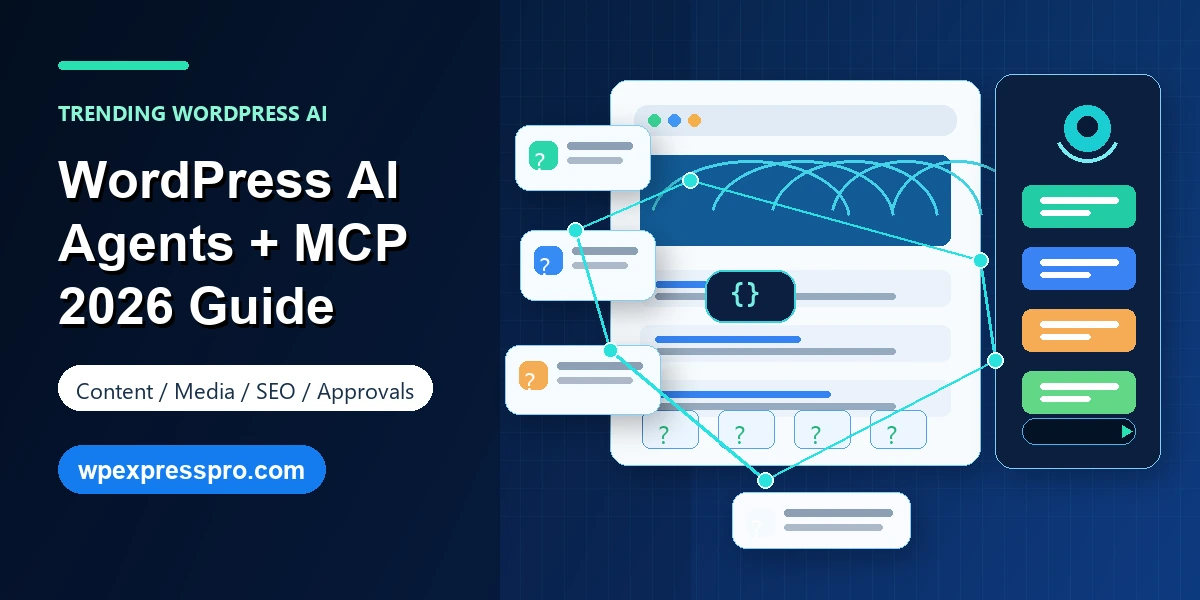
The newest WordPress AI trend is not just writing posts with a chatbot. It is letting WordPress AI agents connect to the site, understand its structure, and help manage real publishing tasks through MCP. That means content creation, media cleanup, category organization, SEO preparation and page updates can move from dashboard clicking to natural-language workflows.
This matters because WordPress work is full of small but important tasks. Draft this post. Add the right category. Write alt text for missing images. Update tags. Prepare a landing page. Review comments. Check whether a page has a weak meta description. None of these jobs are glamorous, but together they decide whether a site stays useful, organized and search-friendly.
With MCP and AI agents, the trend is shifting from AI as a separate writing tool to AI as a connected WordPress collaborator. The key is using it safely: approvals, draft-first publishing, role permissions, activity logs and human review should remain part of the workflow.
Table of Contents
What Are WordPress AI Agents?
A WordPress AI agent is an AI assistant that can interact with a WordPress site through connected tools. Instead of only answering questions in a chat window, the agent can use approved actions to read site context and perform useful tasks. Depending on the setup, that may include creating draft posts, updating pages, managing comments, changing categories, editing tags or improving media metadata.
The difference is context. A normal AI chatbot may help write a paragraph, but it does not know your existing categories, media library, post status, design patterns or editorial workflow. A connected AI agent can work with that site context, which makes its suggestions and actions more practical.
For a blog owner, this can feel like having an editorial assistant. For an agency, it can reduce repetitive admin work across client sites. For an ecommerce or service business, it can help keep product guides, support posts and landing pages more organized.
Why MCP Is the Trend Behind This Shift
MCP stands for Model Context Protocol. It is an open protocol designed to help AI applications connect with external tools and data sources in a more standardized way. For WordPress, that means AI clients can discover what operations are available instead of relying on one-off integrations built differently for every tool.
WordPress.com announced MCP support for AI agents, then expanded it from reading site data to write capabilities. The official update says agents can now create and manage content through natural conversation, including posts, pages, comments, categories, tags and media-related tasks. That is why this topic is trending: it changes AI from a content generator into a site operations layer.
Automattic also maintains a remote MCP package for WordPress integrations. Its documentation explains that it can connect AI assistants to WordPress sites using authentication methods such as OAuth, JWT tokens and application passwords. For site owners, the practical message is that AI-to-WordPress connections are becoming more formal, more capable and more realistic.
What AI Agents Can Do in WordPress
The most useful AI-agent tasks are not always the flashiest ones. A good workflow starts with repeatable site maintenance jobs where the AI can save time while a human still reviews the final result.
- Draft blog posts: turn an outline, brief or topic idea into a draft post with a title, category and tags.
- Build simple pages: create draft landing pages, About pages or resource pages using site design patterns.
- Manage categories and tags: create, rename or restructure taxonomy terms so content stays organized.
- Improve media metadata: find images missing alt text, captions or titles and suggest accessible descriptions.
- Handle comments: help approve, reply to or clean up comments based on permissions and approval rules.
- Prepare SEO fields: suggest meta descriptions, focus keywords and internal link opportunities before publishing.
This does not mean every action should be automated. The best setup lets AI prepare the work and ask for approval before anything important changes. Draft-first workflows are especially important because they keep AI fast without turning it into an unchecked publisher.
Benefits for Bloggers, Agencies and Businesses
For bloggers, WordPress AI agents can reduce the friction between idea and draft. A creator can describe a post, ask the agent to create a draft, attach the right category, suggest tags and prepare an SEO description. The writer still edits the article, but the blank-page problem and setup work become smaller.
For agencies, the value is repeatability. Many client sites need the same maintenance: missing alt text, stale tags, thin pages, old drafts and inconsistent metadata. An AI agent can audit and prepare changes faster than doing everything manually. The agency can then review, approve and refine the output.
For small businesses, AI agents can help keep WordPress active. A site that never updates loses momentum. A connected assistant can turn notes from a meeting into a draft update, create a service FAQ, organize posts by topic or suggest improvements to older pages.
Safety, Permissions and Approval Workflows
The most important part of this trend is not capability. It is control. WordPress.com highlights several safety layers for AI agent write actions: explicit approval before changes, new posts starting as drafts, reversible deletion where possible, visibility through the activity log, existing WordPress permissions and per-operation toggles.
Those safety ideas should guide any WordPress AI-agent workflow, including self-hosted sites. Do not enable every operation just because it is available. Start with low-risk actions such as drafting posts, suggesting alt text or preparing category changes. Add higher-risk actions only after the review process is clear.
- Use a dedicated account with the minimum role needed for the job.
- Keep publishing as a human approval step, especially for public content.
- Review deleted or modified items through logs and backups.
- Avoid giving an agent access to private customer data unless the data policy is clear.
- Document which actions are enabled and who approves them.
WordPress.com vs Self-Hosted WordPress
WordPress.com and self-hosted WordPress are not the same setup. WordPress.com has its own MCP dashboard and managed environment, with write capabilities available on paid plans according to the official update. That makes the onboarding path clearer for users already inside the WordPress.com ecosystem.
Self-hosted WordPress can also connect to AI tools, but it needs the right plugin/server setup, authentication and security review. Automattic?s remote MCP package is designed to connect AI assistants to WordPress sites, and its documentation includes options such as OAuth and application passwords. That flexibility is powerful, but it also means site owners must configure access carefully.
A simple rule works well: WordPress.com is easier for managed AI-agent access; self-hosted WordPress offers more control but requires more responsibility. Either way, do not skip permissions, backups and review.
SEO Checklist Before Letting AI Manage Content
AI agents can speed up SEO tasks, but they should not replace SEO judgment. Before letting an agent prepare or modify content, define a checklist so every draft meets the same standard.
- Confirm the page matches a real search intent before generating content.
- Keep one clear H1 and use useful H2/H3 sections.
- Add original examples, screenshots, data or experience that AI cannot invent.
- Write meta descriptions for clarity, not keyword stuffing.
- Add internal links to related posts, services and conversion pages.
- Review image alt text for accuracy and accessibility.
- Fact-check dates, product names, plugin details and pricing claims.
- Use Rank Math or another SEO workflow to validate metadata and schema.
The right mindset is editorial assistance, not autopilot publishing. Let AI handle the setup and first pass. Let humans handle accuracy, positioning and final trust.
How to Start With WordPress AI Agents
Start small. Do not begin by asking an AI agent to redesign a site or publish a full content calendar. Begin with controlled tasks that are easy to review.
A good first workflow is a media audit: ask the agent to find images with missing alt text and suggest descriptions. Another safe workflow is drafting: ask the agent to create a blog post draft from a brief, assign the right category and add tags. You can then review the content before publishing.
Once the basic workflow feels reliable, expand into page updates, taxonomy cleanup and internal content audits. Keep approvals on, keep logs visible and avoid giving the agent more access than it needs.
FAQ: WordPress AI Agents and MCP
What is MCP for WordPress?
MCP, or Model Context Protocol, is a standard that lets AI tools connect to external systems. For WordPress, it can allow an AI client to read site context and, when enabled, perform approved tasks such as drafting content or updating media metadata.
Can an AI agent publish WordPress posts automatically?
It depends on the site, permissions and enabled tools. WordPress.com says new posts created by agents default to drafts, and changes require approval. That is the safer workflow for most businesses.
Does this work on self-hosted WordPress?
Self-hosted sites need a compatible MCP setup, such as an MCP adapter on the WordPress side and a remote MCP client bridge. Authentication and permissions should be configured carefully before enabling write actions.
Can WordPress AI agents hurt SEO?
They can if you publish generic, inaccurate or poorly structured content without review. Use AI agents to speed up drafts and maintenance, but keep human review for search intent, facts, metadata, internal links and brand voice.
Final Takeaway
WordPress AI agents and MCP are trending because they move AI from a writing assistant into a connected WordPress workflow. The value is not only faster content generation. It is faster site management: drafts, pages, media, categories, tags, comments and SEO preparation handled through natural conversation.
The opportunity is real, but so is the responsibility. Use approvals, drafts, role permissions, activity logs and human review. When the workflow is designed well, AI agents can remove repetitive WordPress admin work while keeping people in charge of quality and trust.
Sources checked: WordPress.com AI agent content management update, WordPress.com AI Assistant announcement, Model Context Protocol introduction and Automattic mcp-wordpress-remote documentation.