
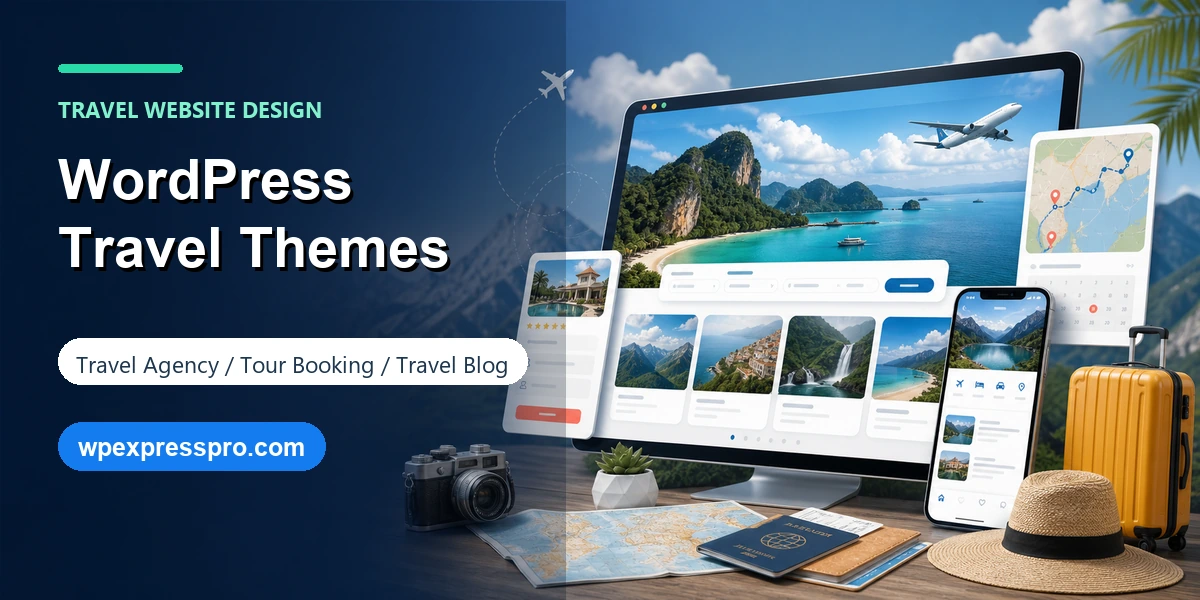
Choosing from the many WordPress travel themes can feel simple at first: pick a beautiful demo, import it, replace the photos and launch. In practice, travel websites need more than a scenic homepage. A travel agency, tour operator, destination guide and travel blog all ask visitors to trust unfamiliar places, compare options quickly and take action on mobile devices.
The right theme should make that easier. It should help you present itineraries, destinations, maps, galleries, dates, prices, testimonials and contact options without turning the site into a slow collection of oversized images. This guide compares practical theme choices for travel agencies and travel blogs, then explains what to check before you commit.
Table of Contents
What Makes a Good WordPress Travel Theme?
A good travel theme is not just a pretty layout. It is a structure for helping visitors move from inspiration to decision. For a travel blog, that may mean readable articles, destination archives, photo galleries and newsletter forms. For a travel agency, it usually means tour cards, itinerary pages, enquiry forms, seasonal offers and booking plugin compatibility.
Speed matters more than many travel website owners expect. Travel pages often use large photos, maps, sliders and embedded videos. If the theme adds too much design weight before you even add content, Core Web Vitals can suffer. Pick a theme that is lightweight enough to leave room for your real media assets.
Mobile design is equally important. Many travellers browse from a phone while comparing destinations, checking dates or sharing links with family. Your theme should keep menus, search, enquiry buttons, pricing blocks and image galleries usable on small screens. If the demo looks impressive on desktop but awkward on mobile, keep looking.
- Clean destination, tour or blog archive layouts so visitors can browse by interest.
- Strong typography and spacing for long-form guides, not only homepage sections.
- Compatibility with Gutenberg, Rank Math, WooCommerce and dedicated booking or travel plugins.
- Flexible header and footer areas for contact buttons, WhatsApp links, phone numbers and trust signals.
- Fast image handling, lazy loading support and a design that works without heavy sliders.
Travel Blog Theme vs Travel Agency Theme
A travel blog and a travel agency may both use destination photos, but their priorities are different. A travel blog wins with storytelling, category archives, author pages, featured images, internal links and email capture. A travel agency wins with packages, trip filters, itinerary details, availability, inclusions, reviews and a clear way to enquire or book.
If your site is content-first, choose a theme with excellent post layouts and avoid unnecessary booking features. If your site sells tours, choose a theme that works smoothly with a booking plugin instead of relying only on static pages. For hybrid sites, such as a travel company publishing guides to rank in Google, use a flexible theme and build tour pages, blog posts and lead forms as separate workflows.
Best WordPress Travel Themes to Consider
The best choice depends on whether you want a dedicated travel theme or a flexible multipurpose theme with travel templates. Dedicated travel themes can get you closer to a tour website quickly. Multipurpose themes usually give agencies more control over branding, performance and future redesigns.
| Theme | Best for | Free and paid details |
|---|---|---|
| Travel Monster | Tour agencies using WP Travel Engine style trip pages, destinations and booking-focused layouts. | Free theme on WordPress.org with commercial upgrades or support available. |
| Travel Agency | Travel agencies and tour operators that want a dedicated agency-style starting point. | Free theme with paid upgrade options from the theme vendor. |
| Blossom Travel | Travel bloggers, lifestyle writers and photo-led personal blogs. | Free theme with commercial upgrades or support available. |
| Travel Agent Blocks | Block-editor users who want a travel agency direction with modern WordPress editing. | Free WordPress.org theme; verify vendor upgrade options before purchase. |
| Astra | Agencies that want a lightweight base, starter templates and strong page builder flexibility. | Free core theme; Astra Pro and template bundles are paid. |
| Kadence | Travel blogs, content-heavy sites and custom agency builds using Gutenberg and starter templates. | Free theme and blocks are available; premium starter templates and pro tools are paid. |
| Blocksy | Modern travel blogs or agency sites that need polished starter sites and WooCommerce-friendly flexibility. | Free theme available; premium features and some advanced templates are paid. |
| GeneratePress | Performance-first travel websites where the design will be built with blocks or a separate builder. | Free theme with paid GeneratePress Premium and bundle options. |
Travel Monster is one of the strongest options when the site is clearly a tour booking business. It is built for travel agencies, tour operators and trip-style pages, so it can save setup time if your content model already includes destinations, activities, trip types and itinerary pages.
Blossom Travel is better for a personal travel blog or editorial destination website. Its strength is not complex booking logic; it is presenting stories, photos and categories in a way that feels polished for readers. That makes it a good fit for affiliate travel content, city guides and lifestyle travel writing.
Astra, Kadence, Blocksy and GeneratePress are not only travel themes. They are flexible foundations. Use them when you care about performance, custom layouts, WooCommerce compatibility, page builder choice or a design system that may grow beyond the first travel demo. This is often the better long-term route for agencies that plan to add landing pages, lead magnets, multilingual content or custom booking integrations.
Free vs Premium Travel Themes
A free WordPress travel theme can be the right choice when you are building a simple blog, destination guide or small agency site with a contact form. Free themes also make sense when you want to test a design direction before committing budget. Just check the last update date, support forum activity, mobile demo and compatibility with your must-have plugins.
Premium themes or pro upgrades become more valuable when the business depends on the website. Paid versions usually offer more header layouts, template libraries, support, advanced typography, better WooCommerce controls, custom hooks, white-label options or deeper integration with booking workflows. The upgrade is not automatically better for SEO, but it can save development time and reduce design compromises.
The practical rule is simple: use free if the site is content-led and low complexity; use premium if the website needs to sell, book, filter, localize or scale. Always verify current pricing and license terms from the vendor because theme packages change over time.
Features to Check Before You Install a Theme
Before installing any travel theme, write down the visitor journey. A traveller may start on Google, land on a destination guide, compare a few trip ideas, check dates, read reviews, then ask a question. Your theme should support that journey without forcing every page into the same homepage-demo pattern.
- Booking compatibility: confirm whether the theme works with your booking plugin, WooCommerce, enquiry forms or custom trip data.
- SEO structure: check that headings are clean, breadcrumbs are supported and Rank Math schema/FAQ blocks render correctly.
- Media performance: test how the demo handles large images, galleries, lazy loading and mobile cropping.
- Conversion areas: make sure there are obvious spaces for calls to action, reviews, phone numbers and lead forms.
- Archive pages: travel sites need browsable destinations, categories, tours or guides, not only individual landing pages.
- Editor flexibility: Gutenberg support matters if you want your team to edit pages without breaking layouts.
- Update history: prefer themes that are actively maintained and compatible with current WordPress versions.
Because Rank Math Pro is installed on this site, the theme should not fight the SEO plugin. Use Rank Math for SEO title, meta description, schema, breadcrumbs and FAQ blocks, while the theme handles presentation. Separating those jobs makes future redesigns easier.
Common Mistakes When Choosing a Travel Theme
The biggest mistake is choosing by homepage screenshot only. Travel demos often use beautiful stock photography, but that does not tell you how the theme handles real trip data, long descriptions, mixed image sizes, mobile menus or search results pages. Always inspect a tour page, a blog post, a category archive and the mobile demo.
Another mistake is letting the theme own business-critical functionality. If dates, prices, payments, itinerary fields and booking rules live only inside a theme, switching themes later can become painful. For most serious travel businesses, the theme should design the experience while a plugin manages the travel data.
Finally, do not overload the website with sliders, map embeds and oversized galleries before checking speed. Travel websites need emotion, but slow pages reduce trust and conversions. Use high-quality WebP images, compress media, limit unnecessary animation and test important pages after every major design change.
Recommended Theme Choices by Use Case
For a tour operator or travel agency: start with Travel Monster or Travel Agency if you want a dedicated travel setup quickly. Choose Astra, Kadence or Blocksy if you need a more custom brand, advanced landing pages or a separate booking plugin strategy.
For a travel blog: Blossom Travel, Kadence and Blocksy are sensible starting points. Prioritize post readability, category pages, image presentation and newsletter capture over booking sections you will never use.
For a performance-first travel website: GeneratePress, Kadence, Astra and Blocksy are good foundations because they can stay lightweight when configured carefully. Pair the theme with optimized images, caching and only the plugins you actually need.
For an SEO-led travel site: choose the theme that gives you clean templates for destination hubs, guide articles and internal links. Then use Rank Math Pro to manage metadata, schema, FAQ content, redirects and content optimization. A theme can support SEO, but it cannot replace useful destination content and a clear site structure.
FAQ: WordPress Travel Themes
Which WordPress travel theme is best for a travel agency?
For a travel agency or tour operator, start with a travel-focused option such as Travel Monster or Travel Agency if you want trip listings and booking-friendly layouts quickly. Astra, Kadence and Blocksy are better when you want a flexible custom build around a separate booking plugin.
Can I build a travel website with a free WordPress theme?
Yes. A free theme is enough for a simple travel blog, destination guide or brochure-style agency site. Choose premium when you need advanced templates, stronger support, more header and layout control, or a polished booking workflow.
Do WordPress travel themes affect SEO?
Themes affect SEO indirectly through page speed, mobile usability, heading structure, schema compatibility and how easy it is to create strong destination pages. The theme should support your SEO workflow instead of replacing it.
Should a travel theme include booking features?
Not always. It is often safer to let a dedicated booking or tour plugin handle dates, prices, payments and trip data, while the theme handles design and layout. This keeps the website easier to change later.
Final Takeaway
The best WordPress travel theme is the one that matches your business model. A travel blogger needs elegant posts and strong archives. A tour operator needs booking-friendly trip pages. A growing travel agency needs flexible layouts, fast performance and plugin compatibility. Start with the visitor journey, not the demo screenshot, and your theme choice will be much easier.
Sources checked: WordPress.org travel theme directory, Travel Monster on WordPress.org, Blossom Travel on WordPress.org, Travel Agent Blocks on WordPress.org, Kadence starter templates documentation, Blocksy Travel starter site and GeneratePress on WordPress.org.
