The best woocommerce marketing plugins for 2026 are not simply the tools with the most features. The best stack helps your store attract qualified traffic, measure purchases, recover missed sales, build trust, and improve repeat purchases without slowing down WooCommerce.
This article supports the main Google for WooCommerce plugin setup guide. That pillar explains the Google connection workflow. This guide shows where Google for WooCommerce fits inside a wider marketing stack that may include SEO, email, automation, reviews, coupons, analytics, and conversion tools.
A beginner-friendly WooCommerce marketing stack should be small, measurable, and easy to maintain. Installing ten plugins at once often creates duplicate tracking, slower pages, and confusing admin screens. Start with the job you need to solve, then choose the plugin.
Table of Contents
How to Choose WooCommerce Marketing Plugins
Choose marketing plugins by function, not hype. Every plugin should have one clear job: improve search visibility, sync product data, collect subscribers, recover carts, automate follow-up, increase trust, or measure revenue.
- Use one primary SEO plugin to avoid duplicate schema and meta tags.
- Use one product feed or Google integration workflow.
- Use one email or CRM platform that your team can actually maintain.
- Use one analytics and conversion tracking architecture.
- Add coupons, reviews, upsells, or loyalty tools only when they solve a real bottleneck.
The best plugin for one store may be unnecessary for another. A new store may need SEO, Google product visibility, and email basics. A larger store may need segmentation, automation, review generation, and advanced coupons.
Before installing any marketing plugin, check three things: who will own the tool, how success will be measured, and whether the plugin adds front-end scripts that can affect performance. A tool that no one checks after setup usually becomes technical weight instead of a marketing asset.
Quick Comparison: Best WooCommerce Marketing Plugins for 2026
| Plugin | Best for | Free/Paid note | Beginner fit |
|---|---|---|---|
| Rank Math SEO | SEO, schema, sitemaps, product/category optimization. | Free plugin with Pro upgrade available. | Strong if configured carefully. |
| Google for WooCommerce | Product sync, Merchant Center, Google listings, Performance Max, Google tag. | Free plugin; Google Ads spend is separate. | Best Google starting point for many stores. |
| MailPoet | Newsletters, email marketing, WooCommerce email automation. | Free plugin with paid sending/plan options depending on list size and usage. | Good for stores that want email inside WordPress. |
| Mailchimp for WooCommerce | Email marketing, customer sync, ecommerce automations. | Free connector; Mailchimp account/plan may be free or paid. | Good if the store already uses Mailchimp. |
| Klaviyo | Advanced email/SMS segmentation and ecommerce flows. | Free plugin; Klaviyo service plans may be paid as contacts/messages grow. | Better for stores ready for deeper retention work. |
| Customer Reviews for WooCommerce | Review requests, trust signals, photo/video review workflows. | Free plugin with premium features available. | Useful after orders are consistent. |
| AutomateWoo | WooCommerce automation, follow-ups, workflows, cart recovery. | Paid WooCommerce extension. | Best when the store has enough activity to automate. |
| Advanced Coupons | Better coupons, store credit, promotions. | Free plugin with paid premium options. | Good for promotion-heavy stores. |
1. Rank Math SEO
Rank Math is a strong first marketing plugin because organic visibility affects every WooCommerce store. It helps manage titles, meta descriptions, schema, XML sitemaps, breadcrumbs, social previews, and content optimization. The official Rank Math SEO on WordPress.org page also positions it around SEO and AI SEO features.
Use Rank Math for product pages, category pages, blog posts, FAQ sections, and schema output. Do not run multiple SEO plugins together unless you enjoy untangling duplicate schema later. For WPExpressPro.com, Rank Math Pro is already installed, so it makes sense to keep SEO and schema work centralized there.
For ecommerce SEO, the highest-value work is often simple: unique product descriptions, useful category copy, clean product schema, optimized images, and internal links from buying guides to product categories. The plugin helps manage the SEO layer, but it cannot replace better product content.
2. Google for WooCommerce
Google for WooCommerce is the official Google product visibility plugin for many WooCommerce stores. The Google for WooCommerce on WordPress.org page describes product feed sync to Google Merchant Center, Performance Max campaign support, Google tag, and enhanced conversions.
This plugin is best when a store wants a guided Google connection instead of manual feed uploads. It can help with free listings and paid campaign foundations, but it does not magically fix weak product titles, poor images, missing identifiers, or unclear shipping settings.
If your catalog is small or medium-sized, start here before buying a complex feed platform. If your store has many countries, custom labels, exclusions, and advanced rules, Google for WooCommerce may become the starting point rather than the final feed solution.
If Google visibility is part of your plan, use the Google for WooCommerce plugin setup guide after choosing your marketing stack.
3. MailPoet
MailPoet is useful for stores that want newsletters and email marketing directly inside WordPress. The MailPoet on WordPress.org plugin page describes newsletters, email marketing, and automation, which makes it a practical fit for smaller stores that prefer a WordPress-native workflow.
Use MailPoet for welcome emails, product announcements, simple newsletters, and customer follow-up. It is especially attractive when the store owner does not want to manage a separate email dashboard yet.
4. Mailchimp for WooCommerce
Mailchimp for WooCommerce is a better fit when the business already uses Mailchimp. The Mailchimp for WooCommerce on WordPress.org connector can sync store and customer data so ecommerce campaigns and automations can use WooCommerce behavior.
Choose Mailchimp when your list, campaigns, and templates already live there. Do not install MailPoet and Mailchimp together unless you have a clear reason, because duplicate email platforms can confuse consent, segmentation, and reporting.
5. Klaviyo
Klaviyo is a stronger retention and segmentation option for growing ecommerce stores. The Klaviyo on WordPress.org page highlights email/SMS journeys, WooCommerce data sync, abandoned checkout, product recommendations, segmentation, and analytics.
Klaviyo is usually more than a basic newsletter tool. It makes sense when you want welcome flows, cart recovery, back-in-stock messaging, post-purchase campaigns, SMS, and deeper segmentation. For a very small store, it may be more tool than you need on day one.
The advantage of a platform like Klaviyo is data depth. The tradeoff is setup effort and ongoing cost. Choose it when you are ready to actively manage segments, flows, testing, deliverability, and retention campaigns.
6. Customer Reviews for WooCommerce
Customer Reviews for WooCommerce helps with social proof. The Customer Reviews for WooCommerce on WordPress.org plugin is useful when a store needs review reminders, review collection, trust content, and richer buyer feedback.
Reviews are marketing because they reduce buyer hesitation. Use a review plugin only after your order fulfillment and customer support are stable. A review request sent after a poor delivery experience will not help the brand.
7. AutomateWoo
AutomateWoo is a paid WooCommerce extension for workflow automation. The AutomateWoo on WooCommerce.com page positions it around automated marketing workflows, follow-ups, and store automation.
Use AutomateWoo when the store has enough customer activity to justify automation. It can help with follow-up emails, abandoned cart workflows, win-back campaigns, and customer lifecycle actions. It is not the first plugin every new store needs, but it can be valuable once the basics are working.
8. Advanced Coupons
Advanced Coupons is useful for stores that rely on promotions. The Advanced Coupons on WordPress.org plugin adds more flexible coupon and store credit options than basic WooCommerce coupons.
Coupons can improve conversion, but they can also train customers to wait for discounts. Use coupon tools intentionally: first-order offers, cart threshold offers, loyalty rewards, or seasonal campaigns. Avoid stacking promotions without checking margin.
A Simple WooCommerce Marketing Stack for 2026
Most stores do not need every plugin above. A practical starter stack should cover search visibility, product discovery, email retention, measurement, and trust.
If you are unsure where to start, choose the smallest stack that lets you answer four questions: can shoppers find the products, can you measure purchases, can you contact interested customers again, and can new visitors trust the store?
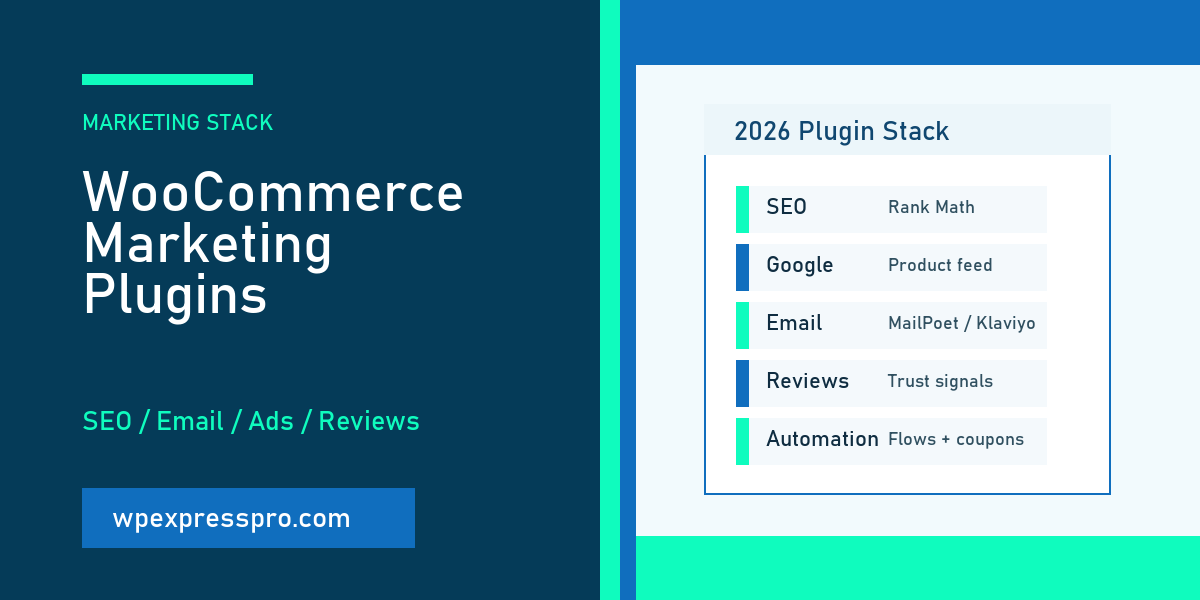
- SEO and schema: Rank Math.
- Google product visibility: Google for WooCommerce.
- Email: MailPoet, Mailchimp, or Klaviyo, not all three.
- Tracking: one clean Google Ads and analytics setup.
- Trust: Customer Reviews for WooCommerce once orders are flowing.
- Automation or coupons: add AutomateWoo or Advanced Coupons when the store has a clear use case.
Common Mistakes to Avoid
- Installing multiple plugins that do the same job.
- Adding heavy marketing scripts before fixing hosting and speed.
- Using two email platforms without a clear consent and segmentation plan.
- Running Google Ads before conversion tracking is reliable.
- Adding coupon tools without checking profit margin.
- Ignoring plugin maintenance status, support history, and WooCommerce compatibility.
How This Supports the Google for WooCommerce Cluster
This article widens the cluster without competing with the Google setup pillar. It explains where Google for WooCommerce belongs inside a complete marketing stack, while the pillar stays focused on the setup workflow.
If your immediate goal is Google product visibility, start with the pillar guide. If your broader goal is growth, use this page to choose the surrounding tools for SEO, email, reviews, automation, coupons, and tracking.
Beginner Action Plan
Use this plan to build a small marketing stack instead of installing every plugin that sounds useful.
- List your biggest current problem: traffic, tracking, retention, trust, or conversion.
- Choose one plugin category that solves that problem.
- Check whether an existing plugin already handles the job.
- Install and configure one tool at a time.
- Test speed, checkout, tracking, and emails after each installation.
- Review results after 30 days before adding another marketing plugin.
Official Resources
Use official plugin pages and documentation before installing or upgrading. Pricing, requirements, supported features, and compatibility can change.
- Google for WooCommerce on WordPress.org
- Rank Math SEO on WordPress.org
- MailPoet on WordPress.org
- Mailchimp for WooCommerce on WordPress.org
- Klaviyo on WordPress.org
- Customer Reviews for WooCommerce on WordPress.org
- AutomateWoo on WooCommerce.com
- Advanced Coupons on WordPress.org
FAQ
What are the best WooCommerce marketing plugins for 2026?
<p>A practical stack often includes Rank Math for SEO, Google for WooCommerce for product visibility, one email platform such as MailPoet, Mailchimp, or Klaviyo, a review plugin, and selected automation or coupon tools only when needed.</p>
How many WooCommerce marketing plugins should I install?
<p>Install only the plugins that have a clear job. A smaller, well-configured stack is usually better than many overlapping plugins that slow the site and make troubleshooting difficult.</p>
Do I need Google for WooCommerce if I already use an SEO plugin?
<p>Yes, if you want Google Merchant Center product sync or Google Shopping visibility. SEO plugins help with organic search and schema, while Google for WooCommerce focuses on product feed and Google commerce features.</p>
Should I use MailPoet, Mailchimp, or Klaviyo for WooCommerce?
<p>Use MailPoet if you want email inside WordPress, Mailchimp if your business already uses Mailchimp, and Klaviyo if you need advanced ecommerce segmentation, flows, SMS, and retention marketing.</p>
Can too many marketing plugins hurt WooCommerce performance?
<p>Yes. Marketing plugins can add scripts, database load, tracking tags, and admin complexity. Test speed and avoid overlapping features.</p>
Next Step
If Google Shopping is part of your marketing stack, start by following the Google for WooCommerce plugin setup guide and then add only the measurement, email, review, and automation tools you can maintain.