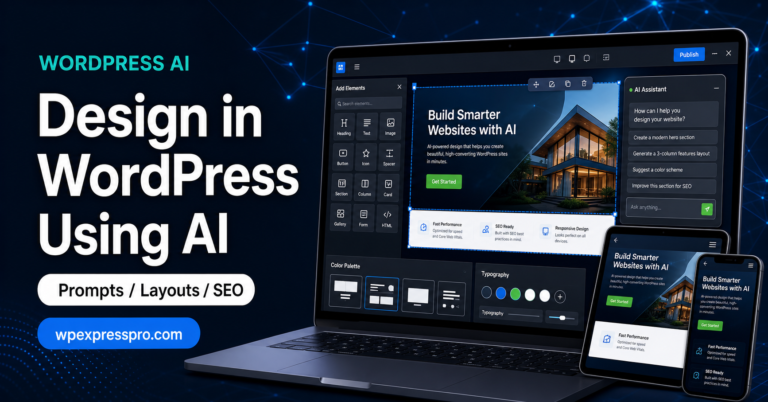
AI can now sit directly inside the WordPress workflow: planning topics, drafting outlines, improving headlines, writing product descriptions, building chatbot answers, and helping editors move faster. That does not mean every AI plugin is worth installing. Some tools are strong for SEO content, some are better for chatbots, and some are useful only if you are comfortable connecting API keys and managing model costs.
This guide focuses on seven practical AI WordPress plugins that are worth evaluating in 2026. The list is built for real website owners, bloggers, agencies, and WooCommerce teams who want better content output without turning the site into a plugin testing lab.
One important note before we begin: a free AI plugin is not always completely free to run. Many AI plugins offer a free WordPress plugin, but still require an API key from OpenAI, Anthropic, Google, OpenRouter, or another provider. In that case, you may pay the AI provider for usage even if the plugin itself is free.
Quick Comparison: Best AI WordPress Plugins
| Plugin | Best For | Free Option | Paid / Cost Notes |
|---|---|---|---|
| AI Engine | Advanced AI workflows, chatbots, MCP, developer control | Yes | Pro features available; AI provider/API usage may be billed separately |
| GetGenie | SEO blog writing, keyword research, competitor analysis | Yes | Paid plans expand words, SEO features, and usage limits |
| AIOSEO AI Assistant | SEO titles, descriptions, content optimization inside AIOSEO | AIOSEO has a free plugin | Advanced SEO and AI features may require paid AIOSEO plans or credits |
| AI Puffer | All-in-one AI content, chatbot, forms, images, automation | Yes | Premium features plus model/API usage costs depending on setup |
| WP Wand | AI writing inside Gutenberg, Elementor, WooCommerce and Classic Editor | Yes | Pro version adds advanced features and higher usage flexibility |
| ClearPost | Automated blog drafts and SEO content planning | Yes | Premium workflows for SEO agent, content calendar, and scale |
| Aiify | Lightweight AI writing and block-level editing | Yes | May require API usage costs based on selected AI provider |
Short recommendation: choose AI Engine for flexibility, GetGenie for SEO-led content, AIOSEO AI Assistant if you already use All in One SEO, AI Puffer for an all-in-one toolkit, WP Wand for editor-first writing, ClearPost for automated draft planning, and Aiify for lightweight writing help.
How We Chose These Plugins
The best AI plugin is not simply the one with the longest feature list. It should fit your publishing process, protect your editorial quality, and make the next step easier for your team. A serious AI plugin should help with at least one clear business outcome: better search content, faster product copy, stronger customer support, cleaner workflows, or repeatable content planning.
We looked at these practical factors:
- How well the plugin fits the WordPress editor or admin workflow
- Whether it supports SEO tasks such as titles, meta descriptions, outlines, keyword ideas, and content scoring
- How clear the free and paid model is
- Whether the plugin is useful for real publishing, not just short AI experiments
- How much human review is still required before publishing
The last point matters most. AI can help you draft faster, but it cannot replace your judgment, examples, brand voice, fact-checking, or conversion strategy. The strongest workflow is still human-led and AI-assisted.
1. AI Engine
AI Engine is one of the strongest AI plugins for WordPress users who want flexibility. It is not limited to simple text generation. It can support chatbots, content tools, AI forms, embeddings, image generation, usage controls, and developer-oriented workflows.
The plugin is especially interesting for agencies and technical site owners because it supports multiple AI providers and more advanced integration patterns. If you want WordPress to become an AI-enabled platform rather than just a place where you paste generated text, AI Engine is a serious option.
Best Use Cases
- Custom AI chatbots for WordPress websites
- Advanced content workflows
- Developer-managed AI integrations
- Sites that may need more than one AI model provider
Free and Paid Details
AI Engine has a free version available from WordPress.org. A Pro version is available for advanced features. You should also budget for usage from the AI provider you connect, because model/API usage may be billed separately from the plugin.
Choose AI Engine if: you want the most flexible AI foundation for WordPress and are comfortable configuring the tool properly.
2. GetGenie
GetGenie is built for SEO-focused content creation. It combines AI writing with keyword research, SERP analysis, competitor comparison, content scoring, blog generation, WooCommerce copy templates, and a ChatGPT-like assistant called GenieChat.
For bloggers, affiliate sites, content marketers, and WooCommerce stores, GetGenie is useful because it does more than generate paragraphs. It helps shape the article around search intent. That makes it a better fit for SEO teams than a generic AI writing box.
Best Use Cases
- SEO blog post planning and drafting
- Keyword research and competitor analysis
- WooCommerce product descriptions
- Content score improvement and optimization
Free and Paid Details
GetGenie has a free WordPress.org version with limited monthly AI writing credits. Paid plans unlock higher usage limits and more advanced SEO/content features. As with most AI tools, check the current plan limits before building a full content workflow around it.
Choose GetGenie if: your main goal is publishing SEO-optimized blog content faster while keeping keyword research close to the editor.
3. AIOSEO AI Assistant
All in One SEO is already one of the most widely used SEO plugins for WordPress. Its AI-assisted features are useful for site owners who want help with SEO titles, meta descriptions, content optimization, and blog workflow without leaving the SEO plugin they already trust.
This is different from a pure AI writing plugin. AIOSEO is strongest when SEO is the center of the task. If your content process already includes All in One SEO, its AI assistant can reduce the time spent writing metadata and shaping content for search visibility.
Best Use Cases
- SEO titles and meta descriptions
- Content optimization inside an established SEO workflow
- Sites already using AIOSEO
- Teams that prefer SEO guidance over a standalone AI writer
Free and Paid Details
AIOSEO has a free WordPress plugin, but advanced SEO features and AI-assisted workflows may depend on the paid plan and available credits. Check the current AIOSEO plan details before assuming the AI features are included in every setup.
Choose AIOSEO AI Assistant if: you already use All in One SEO and want AI support connected directly to SEO tasks rather than a separate writing dashboard.
4. AI Puffer, Formerly AI Power
AI Puffer, formerly AI Power, is an all-in-one AI toolkit for WordPress. It covers content creation, chatbots, AI forms, image generation, knowledge base features, and automation. That broad feature set makes it appealing if you want one AI plugin for several use cases.
The advantage is convenience. Instead of installing separate tools for content, chat, forms, and images, you can test multiple AI workflows from one plugin. The tradeoff is that setup and governance become more important. With broad AI access, you should be careful about permissions, data handling, and API cost controls.
Best Use Cases
- All-in-one AI experimentation
- Content generation plus chatbot functionality
- AI forms and automation
- Teams that want one central AI dashboard
Free and Paid Details
AI Puffer has a free WordPress.org version and premium options for advanced functionality. Depending on which AI provider and features you use, API/model usage costs can also apply.
Choose AI Puffer if: you want one broad AI plugin for content, chatbot, image, form, and automation workflows.
5. WP Wand
WP Wand is a good option for people who want AI inside familiar WordPress writing environments. It supports Gutenberg, the Classic Editor, Elementor, and WooCommerce, which makes it useful for writers, store managers, and page builders who do not want to jump between separate tools.
This workflow matters. AI writing tools are easier to adopt when they appear where the work already happens. If your team writes product descriptions, landing page copy, or blog sections directly in WordPress, WP Wand can reduce the friction of using AI.
Best Use Cases
- Writing inside Gutenberg and Classic Editor
- Elementor page copy
- WooCommerce product descriptions
- Headlines, outlines, FAQs, and rewrite tasks
Free and Paid Details
WP Wand has a free plugin and a Pro version for expanded functionality. Review the latest support activity, compatibility, and plan limits before relying on it for a large production content workflow.
Choose WP Wand if: you want AI writing assistance directly inside the WordPress editor, Elementor, or WooCommerce workflow.
6. ClearPost
ClearPost focuses on AI blog post generation and SEO content planning. It can help create drafts, preserve prompt history, support editing through a chat-style workflow, and build more repeatable content planning processes.
ClearPost is useful for businesses that struggle to publish consistently. It is not a replacement for an editor, but it can help turn ideas into workable first drafts faster. The best results come when a human reviews structure, facts, examples, internal links, and brand voice before publishing.
Best Use Cases
- AI-assisted blog draft creation
- Content calendar support
- Prompt history and revision workflow
- Service websites and niche blogs that need a steady publishing rhythm
Free and Paid Details
ClearPost has a free WordPress.org plugin. Premium features are positioned around advanced SEO agent and content planning workflows. Check current pricing and limits if you plan to generate content at scale.
Choose ClearPost if: you want a structured AI draft and planning workflow rather than only a one-off writing assistant.
7. Aiify
Aiify is a lightweight AI writing and editing plugin. It supports AI content blocks, block-level editing, and TinyMCE workflows, making it useful for improving content sections without adopting a large all-in-one AI platform.
This is a sensible choice if your needs are simple: rewrite a paragraph, adjust tone, expand a section, or generate a small amount of content in the editor. For many small sites, that is enough.
Best Use Cases
- Quick writing assistance in the editor
- Rewriting and tone adjustment
- Short-form content improvements
- Small sites that do not need heavy SEO or chatbot tooling
Free and Paid Details
Aiify has a free WordPress.org version. Depending on the provider you connect, you may still pay for AI model usage. It is best viewed as a simple editor assistant rather than a full content marketing platform.
Choose Aiify if: you want a lightweight AI writing helper for everyday edits and section improvements.
AI WordPress Plugins vs AI Blog Post Generators
Many people compare WordPress AI plugins with standalone AI blog post generators such as ChatGPT, Jasper, Copy.ai, Writesonic, Rytr, or other browser-based writing tools. Both categories can help, but they solve slightly different problems.
A standalone blog generator is often good for brainstorming, prompts, outlines, and fast drafts. A WordPress AI plugin is more useful when you want the output connected to the actual publishing workflow: post editor, SEO metadata, WooCommerce product fields, internal site content, or chatbot placement.
If your team already has a strong editorial process, a standalone AI writing tool may be enough. If you want AI inside WordPress itself, a plugin will usually save more time because it reduces copying, formatting, and switching between tools.
Which AI WordPress Plugin Should You Choose?
| Your Main Goal | Best Starting Point |
|---|---|
| Flexible AI foundation for WordPress | AI Engine |
| SEO blog writing and keyword research | GetGenie |
| SEO metadata and optimization inside an SEO plugin | AIOSEO AI Assistant |
| One plugin for content, chat, forms, images and automation | AI Puffer |
| AI writing inside Gutenberg, Elementor or WooCommerce | WP Wand |
| Repeatable draft and content planning workflow | ClearPost |
| Simple writing and rewriting assistance | Aiify |
If you are not sure where to start, pick one narrow workflow first. For example, use AI only for meta descriptions, only for product descriptions, or only for article outlines. Once that workflow is reliable, expand slowly.
Free vs Paid: What to Check Before Installing
Before installing any AI plugin, look beyond the “free” label. The real cost depends on plugin limits, AI credits, model usage, and how many people on your team will use it.
- Plugin license: Does the free version include the features you need?
- AI usage: Do you need your own API key, and how is usage billed?
- Monthly limits: Are words, credits, requests, images, or chatbot responses capped?
- SEO features: Are keyword research, SERP analysis, and content scoring included or paid?
- User permissions: Can you control which roles can access AI tools?
- Data privacy: What content is sent to external AI providers?
- Support and updates: Is the plugin actively maintained for your WordPress version?
For business websites, the cheapest tool is not always the best value. A plugin that saves editing time, improves product copy, or helps you publish consistent SEO content can be worth paying for. But a plugin with unclear costs or weak controls can become expensive quickly.
Human Editing Still Matters
The biggest mistake with AI content is treating a draft as finished work. AI can help with structure, speed, and idea generation, but your content still needs human judgment. That is especially true for service pages, product comparisons, health or finance topics, legal claims, technical tutorials, and anything that affects customer decisions.
A strong AI-assisted workflow looks like this:
- Use AI for topic ideas, outlines, first drafts, FAQs, and repetitive formatting.
- Use humans for positioning, examples, product knowledge, fact-checking, tone, and final edits.
- Add real screenshots, use cases, pricing context, internal links, and business-specific advice.
- Review every claim before publishing.
That balance is where AI becomes useful. It removes blank-page friction without removing the thinking that makes content worth reading.
Final Recommendation
For most WordPress sites, the best AI plugin is the one that fits the workflow you already have. If you want broad AI infrastructure, start with AI Engine. If SEO content is the priority, test GetGenie or AIOSEO AI Assistant. If you want one broad toolkit, look at AI Puffer. If your writers live inside Gutenberg, Elementor, or WooCommerce, WP Wand may feel more natural. If you need repeatable draft planning, ClearPost is worth testing. If you only need light writing help, Aiify keeps things simple.
At WPExpressPro, we recommend starting small, measuring the result, and building a workflow your team can actually maintain. AI should make your WordPress site easier to manage, not harder to trust.
FAQs About AI WordPress Plugins
Are AI WordPress plugins good for SEO?
They can help with SEO when used carefully. AI plugins can speed up outlines, metadata, FAQs, content drafts, and product descriptions. They do not replace strategy, search intent analysis, internal linking, technical SEO, or human review.
Can AI plugins write full blog posts?
Yes, many AI WordPress plugins can create full drafts. Treat those drafts as a starting point. Before publishing, review facts, headings, examples, originality, tone, links, and calls to action.
Are free AI WordPress plugins really free?
Sometimes, but not always. The plugin may be free, while AI usage requires credits, a paid plan, or your own API key from an AI provider. Always check both the plugin price and the AI usage cost.
Which AI plugin is best for WooCommerce?
GetGenie, WP Wand, and AI Puffer are strong starting points for WooCommerce copy. GetGenie is useful for SEO-led product and category content, WP Wand is convenient inside the editing workflow, and AI Puffer is better if you also want chat or automation features.
Should AI-generated content be published automatically?
For most business sites, no. Automatic drafts can save time, but automatic publishing creates quality and trust risks. A human editor should review the final content before it goes live.
Research note: Plugin features, plan limits, AI credits, active installations, supported models, and pricing can change quickly. Always check the current plugin page and official documentation before installing a tool on a production WordPress site.